
Before you start
Company administration is needed to create workspaces. Decide whether a brand belongs inside an existing company before making a new company.
1. Open the workspace selector
Click the company name at the top of the sidebar. Choose the company, then the workspace you want to use. Check the visible company name before continuing.
2. Create a company when needed
Use New company in the selector, enter its name and complete the form. Use a recognizable company or client name so colleagues can distinguish it from other organizations.
3. Create a workspace
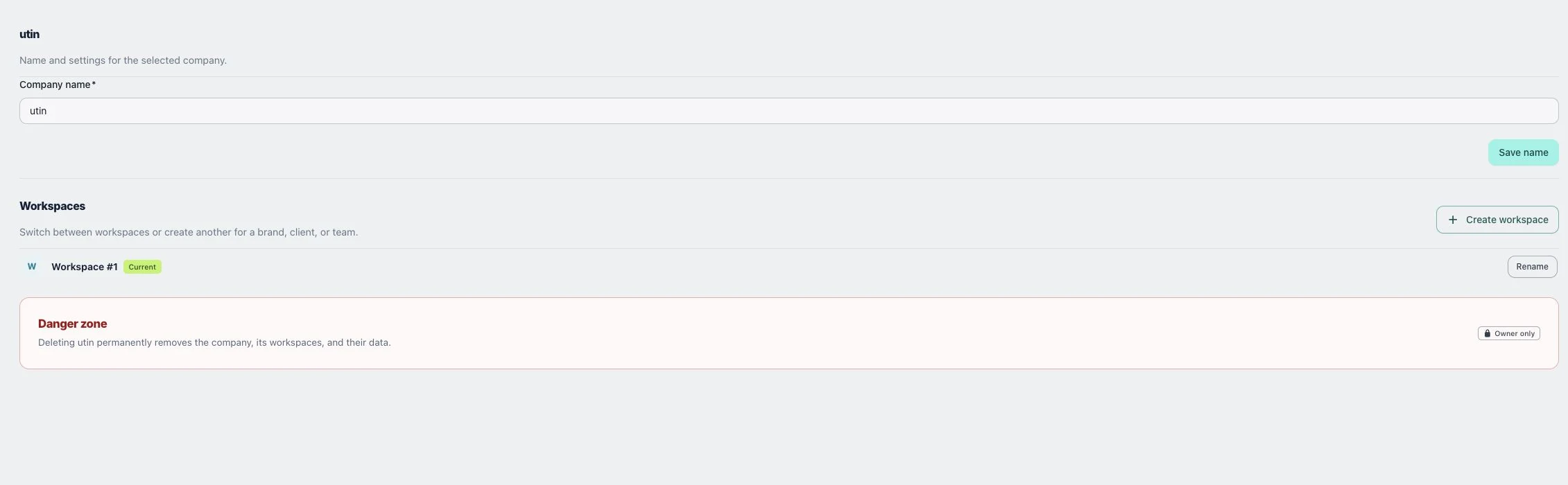
Open Company → Details, select Create workspace, enter Workspace name and save. Then switch to it and connect the accounts that belong to that brand.
Check the result
The workspace should appear under Company → Details and in the selector. Check Connections after switching; similarly named brands can have different accounts.
If something does not work
If you cannot see a company, check your invitation and signed-in account. If Create workspace is absent, ask an administrator to check company permissions.