
Before you start
Sign in to your own account. Have your current password ready and choose a new password you do not use elsewhere.
1. Open your profile
Open the Account menu and choose View profile. Review Account information to confirm which account you are managing.
2. Enter the password change
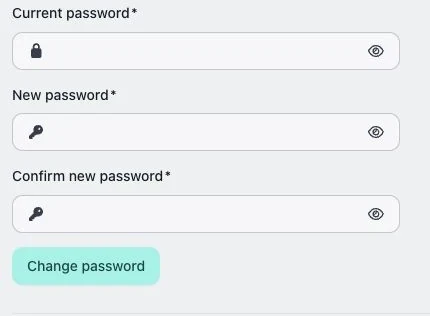
In Change password, enter Current password, New password and Confirm new password. Follow the password length requirement and enter the same new password in both fields.
3. Save and check
Choose Change password and read the result. Update your password manager only after the change succeeds. Do not send your password through feedback or a conversation.
Check the result
Use the success or error message to determine whether the change was saved. Account information identifies your sign-in; it is separate from the company name.
If something does not work
If the current password is wrong or forgotten, use the password-reset flow from the login page. If the passwords do not match, enter the same new password in both fields.