
Before you start
You need Ads & Analytics permission and published posts with available performance data. Select the workspace whose results you want to review.
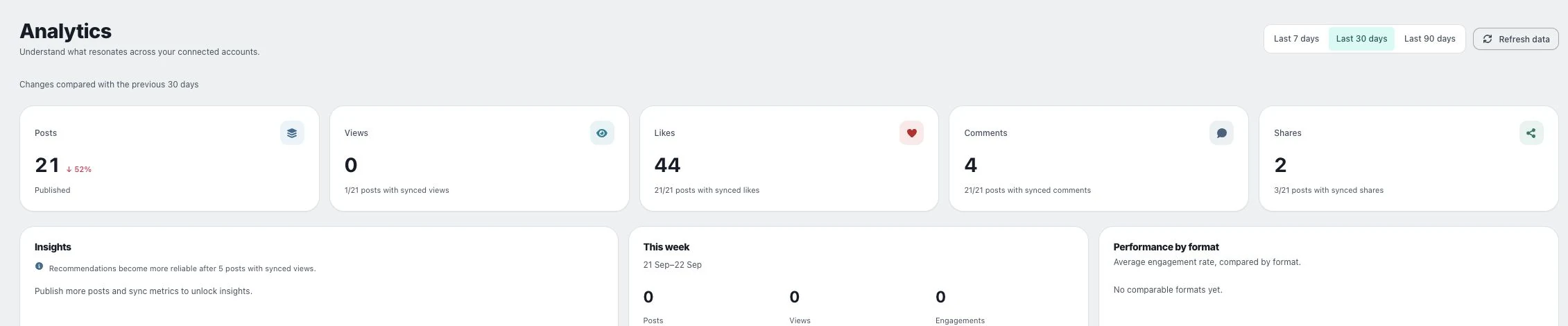
1. Choose the period
Open Posts → Analytics and select Last 7 days, Last 30 days or Last 90 days. Read the comparison period shown below the controls.
2. Read the overview
Inspect the headline metrics and Insights. Use Refresh data when you need an update, and read any provider error rather than assuming every channel refreshed successfully.
3. Inspect individual posts
Review Performance by format and Post performance to see which posts contributed to the totals. Compare metrics supplied by the same provider before comparing results across platforms.
Check the result
Record the period, metric and provider alongside any conclusion. A high total can reflect more posts rather than better performance per post.
If something does not work
If a metric is a dash, it is unavailable. If Insights says more posts or synced metrics are needed, gather enough comparable data before judging the format.