
Before you start
You need Ads & Analytics permission and published posts with available performance data. Select the workspace whose results you want to review.
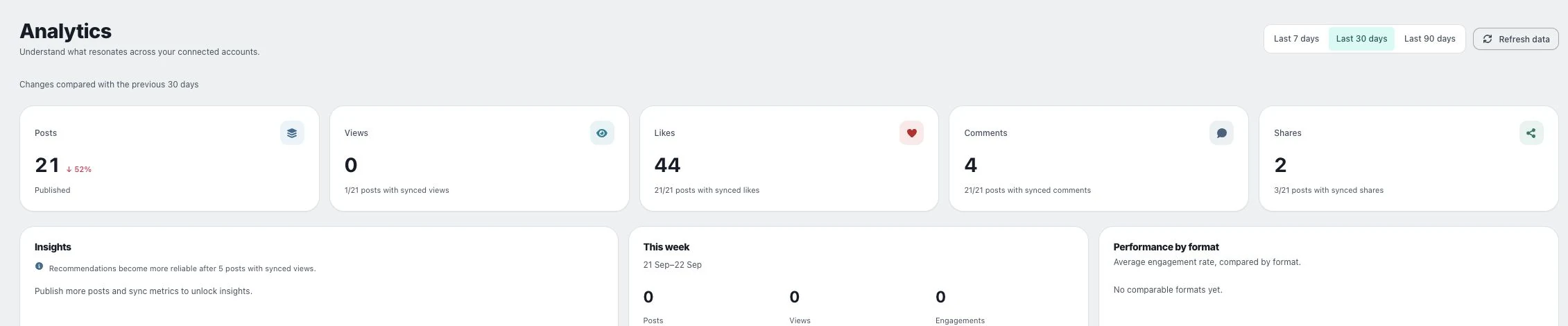
1. Read the coverage message
Check the selected period, last update and any partial-coverage notice. A saved report may remain visible even when a newer provider request fails.
2. Distinguish zero from unavailable
A dash means no reported value. A zero is a reported number. Views, impressions, reactions and interactions also describe different things; do not relabel one as another.
3. Refresh at the source view
Open Analytics or Ads overview and refresh where offered. If access or a provider limit blocks the refresh, resolve the visible error or wait as instructed. Repeated refreshing does not repair expired permissions.
Check the result
Use only the covered accounts and periods for conclusions. Preserve the provider’s metric definition and currency when reporting numbers elsewhere.
If something does not work
If a value differs from the provider dashboard, compare dates, timezone, metric definition and freshness first. Include these details with feedback rather than reporting only the total.