
Before you start
You need company administration permission. Review connected accounts, drafts, automations and other work before deleting anything. Deletion is permanent.
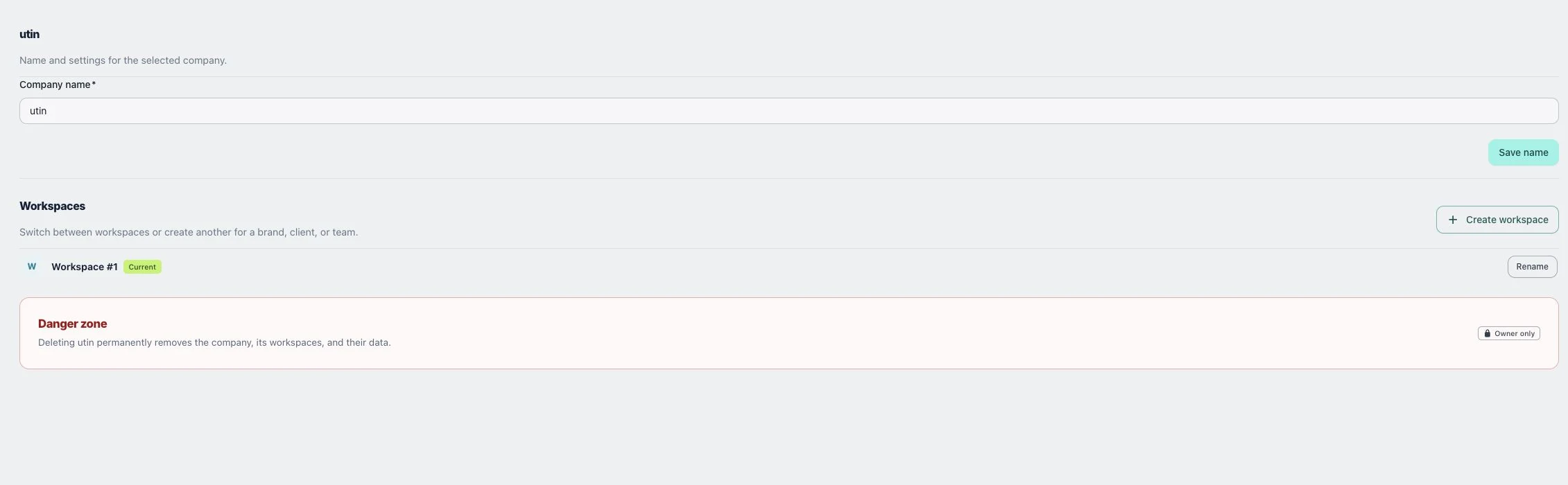
1. Rename the company
Open Company → Details, edit Company name and choose Save name. Renaming is the appropriate choice when only the label needs changing.
2. Rename a workspace
Find the workspace under Workspaces, choose Rename, update Workspace name and save the change. Check the selector afterwards.
3. Delete a workspace or the whole company
For a removable workspace, open its deletion dialog and read the affected data before choosing Delete workspace. To remove the whole company, use Danger zone, type the company name when requested and choose Delete company only after checking the scope.
Check the result
After a rename, the new name should appear in the company view. After removal, verify which remaining workspace is active before doing more work.
If something does not work
You cannot delete the last workspace with Delete workspace. Do not delete the company as a workaround unless you intend to remove the entire company and its data.