
Before you start
You need Automations permission and a connected Facebook or Instagram account. Find the saved automation you want to review and check which account it uses.
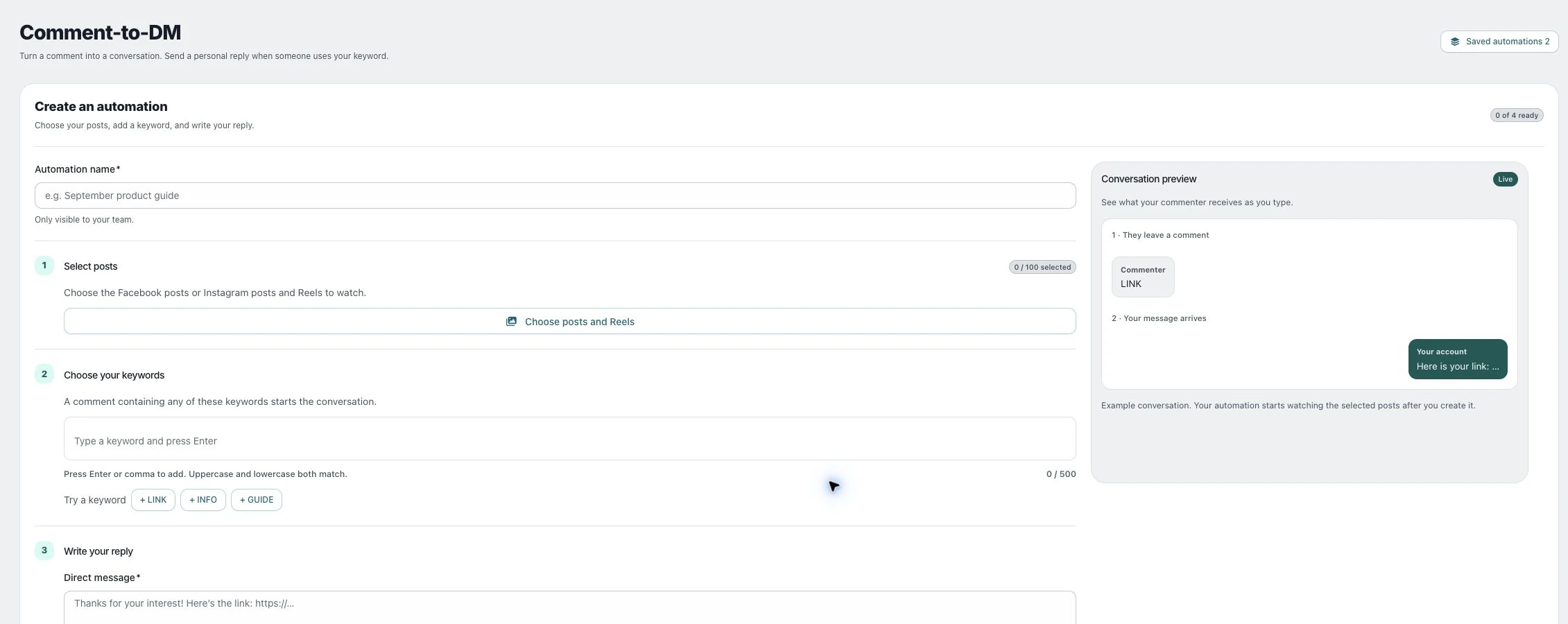
1. Find the saved automation
Open Comment-to-DM → Your automations, or use Saved automations. Read its name and status, then expand the post count to confirm which posts and accounts it watches.
2. Compare the counters
Read Commenters, DMs sent and Failed together. These describe different stages. A keyword match can exist without a successful private message.
3. Pause or resume
Choose Pause to stop an active automation. Check its Paused status. Use the available activation control only when the message, offer and selected posts are still appropriate. Delete only when you intend to remove the saved automation.
Check the result
Confirm the status after the action. Pausing does not retract messages already sent to a platform.
If something does not work
If the message or selection needs changing and no edit control is offered, pause the old automation before preparing a replacement. Avoid running overlapping automations for the same keyword and posts without checking the intended behavior.