
Before you start
You need Content permission and a connected account to publish from. Have your text, images or video ready, and make sure you have permission to use them.
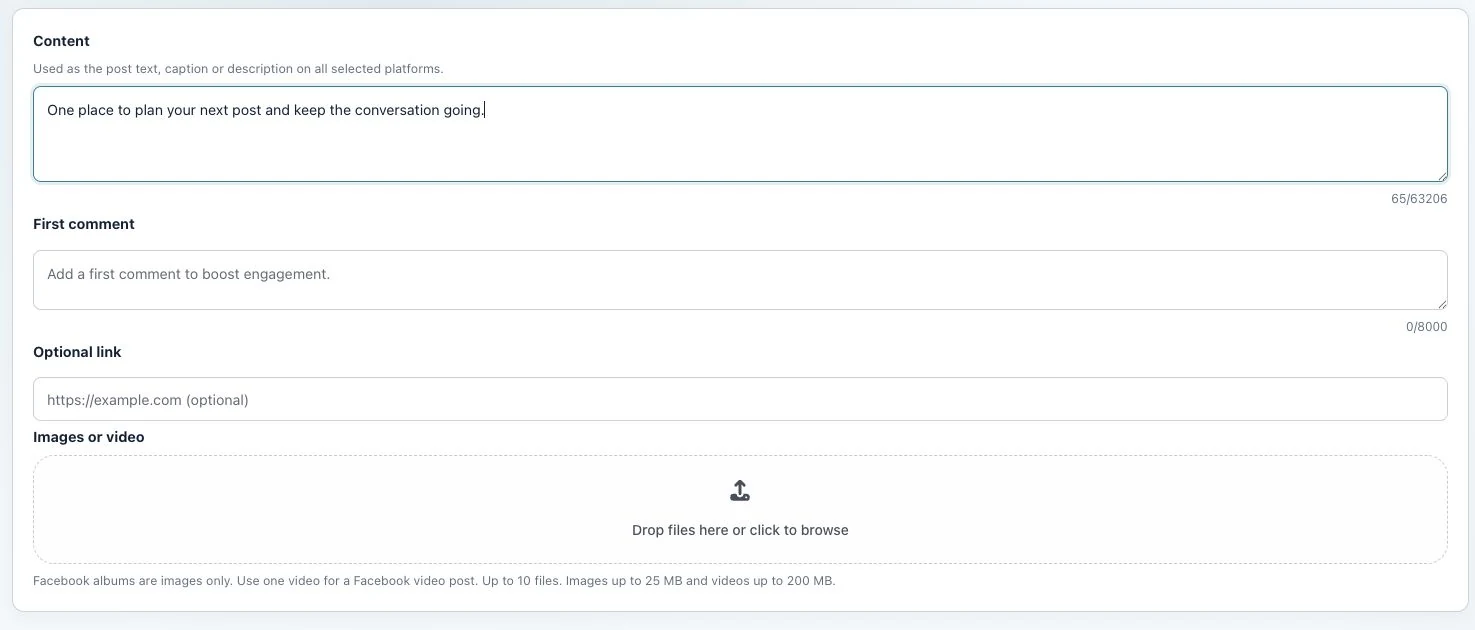
1. Prepare the post
Open Create post, select the account and enter the main post content. Check that First comment is available for your selected account.
2. Write the comment
Enter the separate comment in First comment. For example, put a follow-up question here while leaving the main message in Content. Follow the displayed character counter.
3. Publish and inspect
Publish or queue the post as usual. Once the post is live, open its comment thread and check the first comment separately. Do not assume that a published post confirms its follow-up comment.
Check the result
The text in Content should appear as the post, with the text in First comment as a comment beneath it.
If something does not work
If the field is absent, do not assume the selected platform supports this option. If the comment is missing, check the publication result and existing comments before adding it manually.