
Before you start
You must be signed in to use the app feedback form. Select the workspace where the issue occurred.
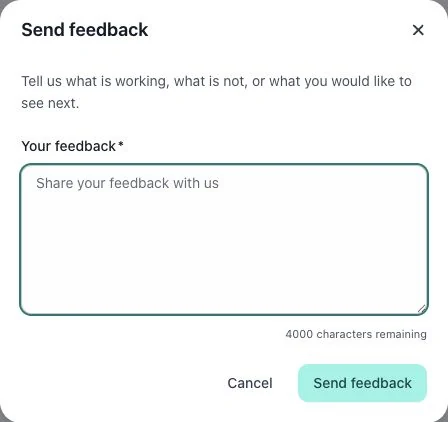
1. Open feedback
Choose Send feedback. Describe what you were trying to do, what happened and what you expected. Include the approximate time and visible error when relevant.
2. Review and submit
Remove passwords, access tokens and unnecessary customer information before submitting. Read the form’s result to see whether the submission was accepted.
3. Discover shortcuts
Choose ? Keyboard shortcuts in the sidebar. Use the shortcut list shown for the current app rather than relying on a remembered combination. Close the dialog before returning to your task.
Check the result
An accepted feedback submission does not imply that the issue has already been resolved. Keep the error details available for follow-up.
If something does not work
If a shortcut does not work, move focus out of a text field and check the listed combination. If feedback fails, keep your text and follow the displayed error.