
Before you start
You need Ads & Analytics permission and published posts with available performance data. Select the workspace whose results you want to review.
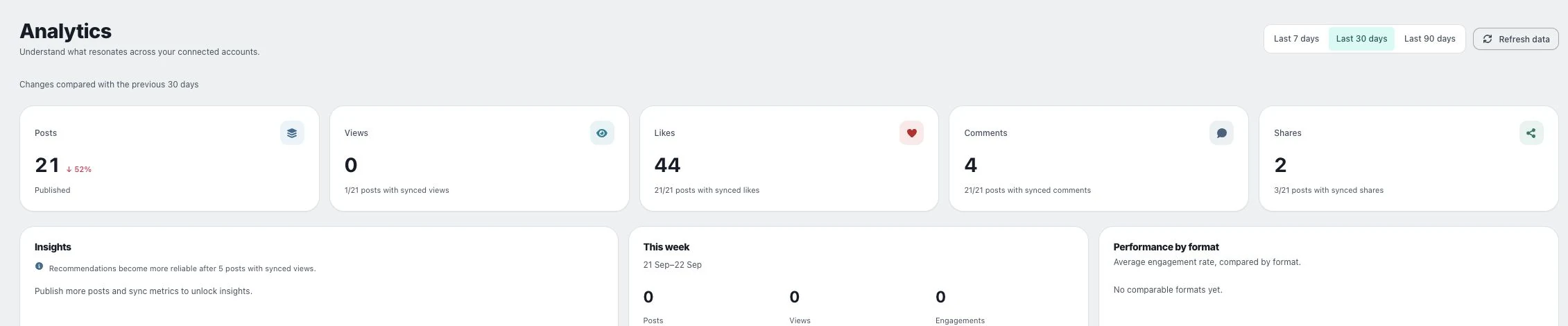
1. Compare periods of the same length
Choose a period in Analytics and read the previous-period comparison. Keep the same window when reviewing several accounts, and note how many posts contributed.
2. Compare formats
Read Performance by format, which compares average engagement rate where comparable data exists. Check sample size and missing data before calling one format the winner.
3. Check the posts behind a pattern
Use Post performance to inspect examples. Separate a change in publishing volume from a change in response per post, and use the result to plan a specific follow-up test.
Check the result
A useful comparison states which dates, platform, format and metric support it. Repeat with a later comparable period before treating a small difference as a durable trend.
If something does not work
If no comparable formats appear, check whether enough posts and metrics exist. Do not substitute zero for a missing metric to force a comparison.