
Before you start
You need Engagement permission and access to the connected account. Choose the right workspace before opening conversations or comments.
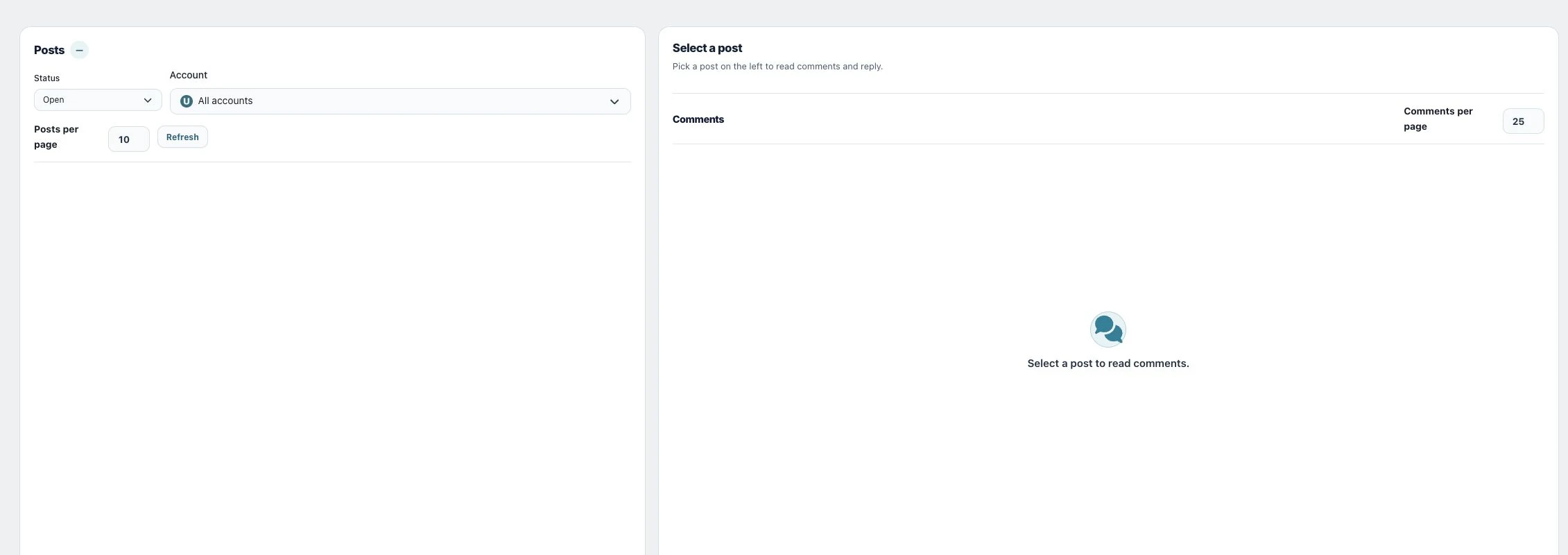
1. Select a post
Open Community → Comments. Choose Account and Status, then select a post in the left-hand list. Adjust Posts per page or use Load more posts when needed.
2. Read and reply
Load the comments for the selected post, read the thread and use its reply action. Write the reply, confirm the intended parent comment and send. Read nested replies before responding to avoid repeating an answer.
3. Moderate selectively
Use Mark as done to finish handling a comment, and Status → Done → Move to Open to reopen it. Remove attempts to hide the comment on Facebook, Instagram or Threads when possible and removes it from Utin. Read its confirmation and any message that the provider could not hide it; removal from the Utin list is not proof that it disappeared publicly. Threads additionally offers Hide on Threads and Unhide on Threads. For posts requiring reply approval, use the pending-reply view to Approve or Ignore a reply.
Check the result
Refresh the selected thread and verify your reply or moderation result. Check the provider if the result is uncertain.
If something does not work
If the post or comment is absent, check Account, Status and loaded pages. If an action is missing, do not assume all platforms support it; check the current connection and displayed provider limitations.