
Before you start
You need Ads & Analytics permission in Utin and access to the ad account you want to use. Check that you have selected the right company, workspace and ad account.
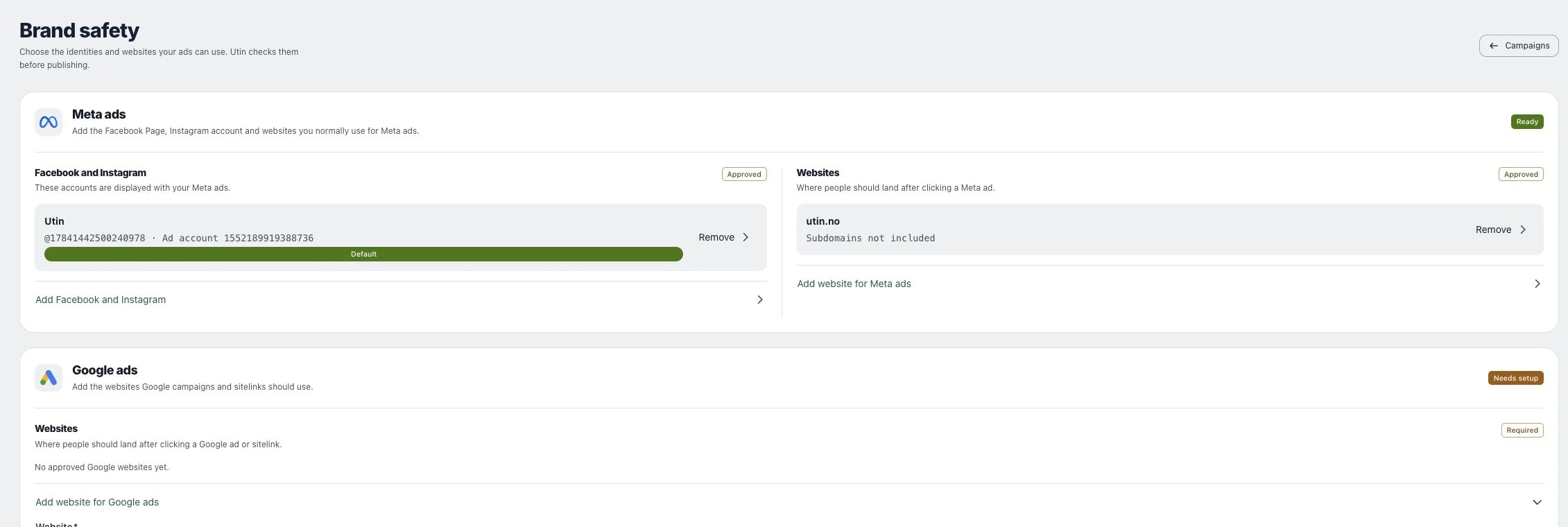
1. Confirm workspace and provider
Open the intended launch or campaign from the correct workspace. Check which ad platform you are using before selecting an account. Google calls a Google Ads account a “customer”. Use the account name and ID to distinguish accounts with similar names.
2. Select the account and visible identity
For Meta, review Meta ad account, Facebook Page and Instagram identity, optional. The option Use Facebook Page identity differs from choosing an Instagram account. For Google, select the right Google Ads account from the available customers.
3. Review the final destination
Compare the identity and website against Brand safety and the campaign review. Check currency before entering a budget. If any identifier belongs to another client, stop and correct the selection before confirmation.
Check the result
Read the final review rather than relying on the initial default account. A visible social profile is not proof of permission to advertise from it.
If something does not work
If the identity is unavailable, check provider access and Brand safety setup. Do not substitute another client’s identity merely to make the form continue.