
Comment-to-DM sends a direct message when someone uses a chosen keyword in a comment on Facebook or Instagram. An agent can create the automation and help you follow the results.
What you’ll achieve
You’ll have a tested automation running on the posts and keywords you selected.
Before you start
Connect the Facebook or Instagram account and publish the post you want to use. Decide what the commenter should receive, including the message, link or offer.
1. Choose the posts
Ask the agent to list recent posts that can be used with the automation, then choose the posts you want to include.
2. Choose simple keywords
Choose a few short words that clearly show interest in what you are offering.
3. Give the agent the complete automation
Include the account, posts, keywords, direct message and public reply in one instruction.
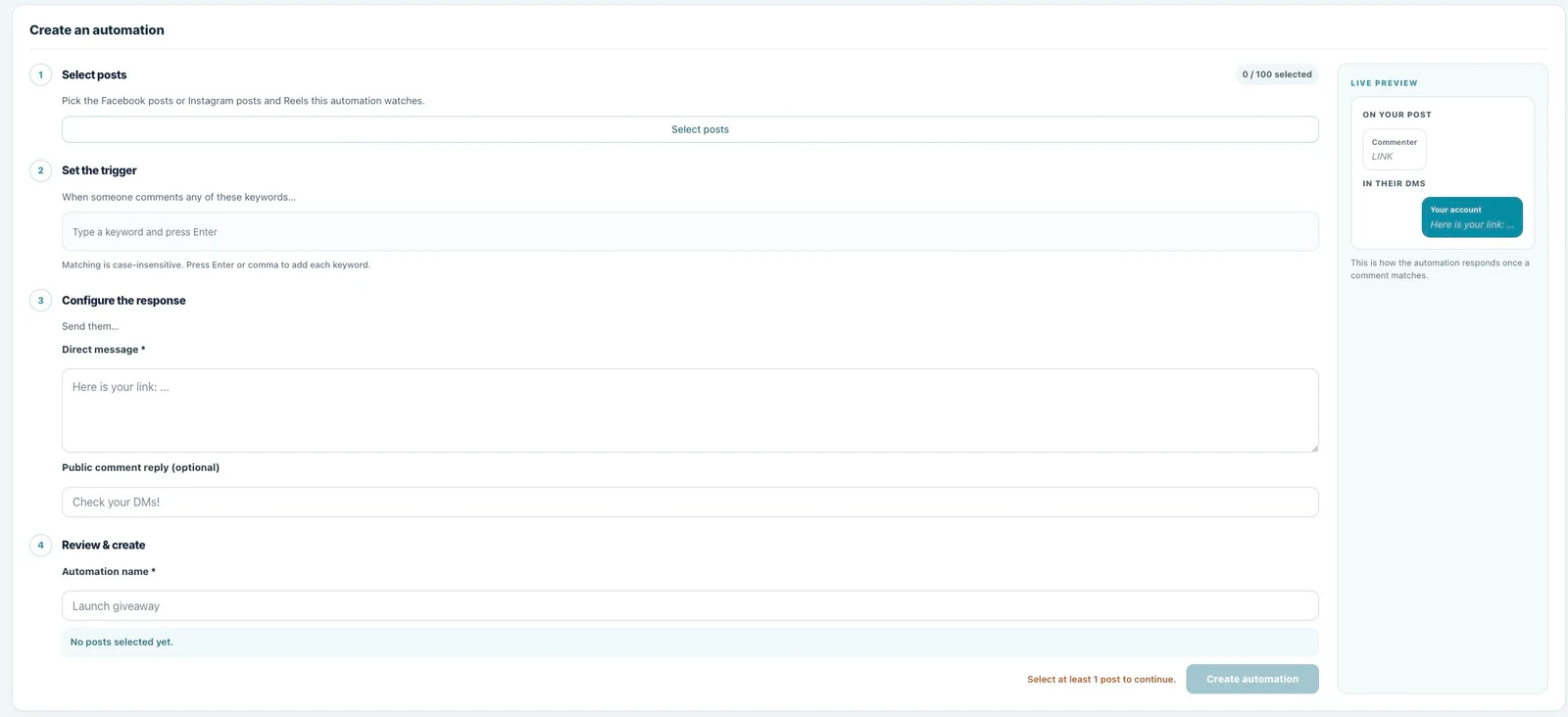
Prompt to copy
Create a comment-to-DM automation for [account and posts].
Use these keywords: [keywords].
Send this direct message: [message and link].
Post this public reply: [reply].
4. Test the automation
Comment with one of the chosen keywords and check the public reply, direct message and link.
5. Monitor the results
Ask the agent to report unique commenters, messages sent and delivery failures. Use the results to improve the keywords or message.
6. Check the results in Utin
Open Automations → Comment-to-DM to see the selected account and posts, keywords, status and delivery results.
Good to know
This works with supported Facebook and Instagram comments. Whether a direct message can be delivered depends on Meta’s messaging rules and the commenter’s account.
If something does not work
- Comments do not trigger the automation: check the selected post and keyword spelling.
- The direct message is not delivered: check the account connection and the delivery status in Utin.
- The message needs changing: update the automation and test it again.
What to read next
Add delivery results to your performance report. Use engagement management for replies outside the automation.
Working directly in the app? Read Create a comment-to-DM automation.