
An agent can bring results from across Utin into one clear report and help you decide what to improve next.
What you’ll achieve
You’ll have a short report that explains what changed, why it may have changed and what to do next.
Before you start
Choose a date range and the questions you want the report to answer. For example: Which posts performed best? How are the automations doing? Which campaigns are delivering the intended result?
1. Choose the period
Choose the workspace, reporting period and comparison period.
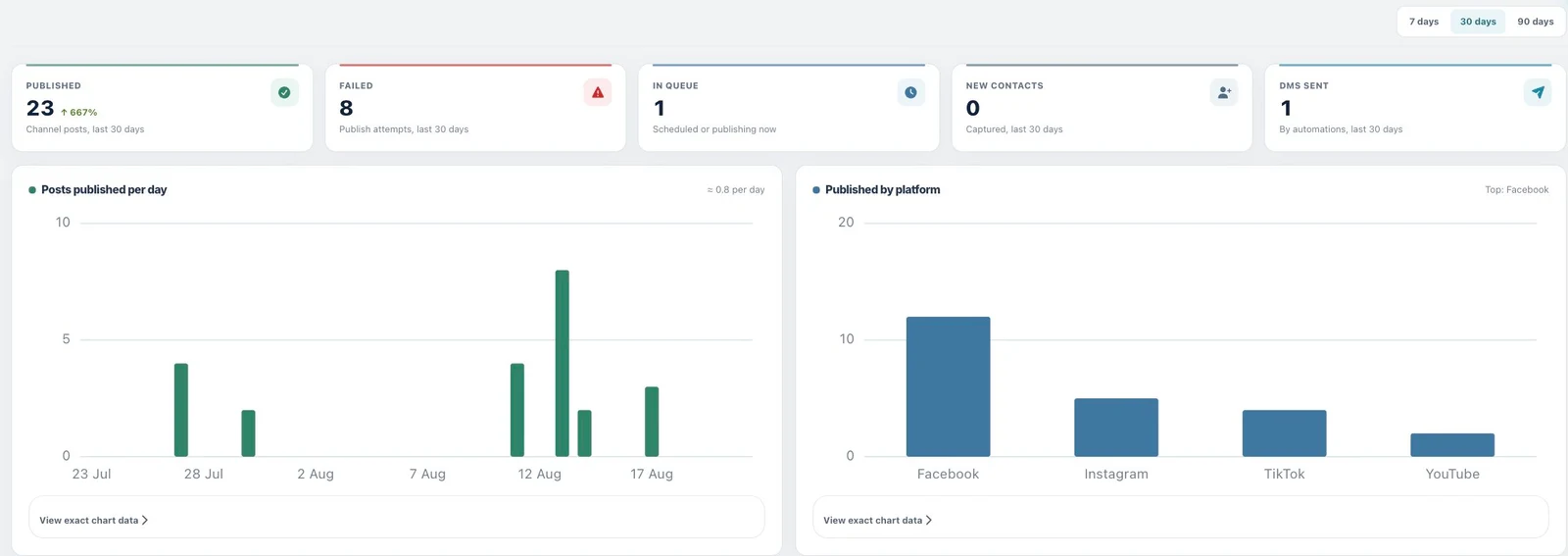
2. Tell the agent what to include
Ask for publishing, automation and advertising results in one report, or remove the areas you do not need.
Prompt to copy
Create a performance report for [workspace] from [start date] to [end date].
Include publishing, automations and ad campaigns.
Compare it with [comparison period] and give me the three main changes and three recommended actions.
3. Read the report
The report should have four short sections:
- The main results.
- What changed from the previous period.
- What may explain the change.
- What to try next.
4. Check the source results
Use Analytics → Overview, Post analytics and the campaign pages to check the results behind the report.
Good to know
Available metrics differ by platform, format and campaign goal. Some platforms also take longer than others to update their results.
If something does not work
- Results are missing: check the account connection and selected date range.
- Totals do not match: check the timezone, account and currency used in the report.
- A recommendation is too broad: ask which result supports it and what the agent would change.
What to read next
Use the workspace guide when you report across several brands. Turn the findings into your next publishing or ads task.
Working directly in the app? Read Read post analytics.